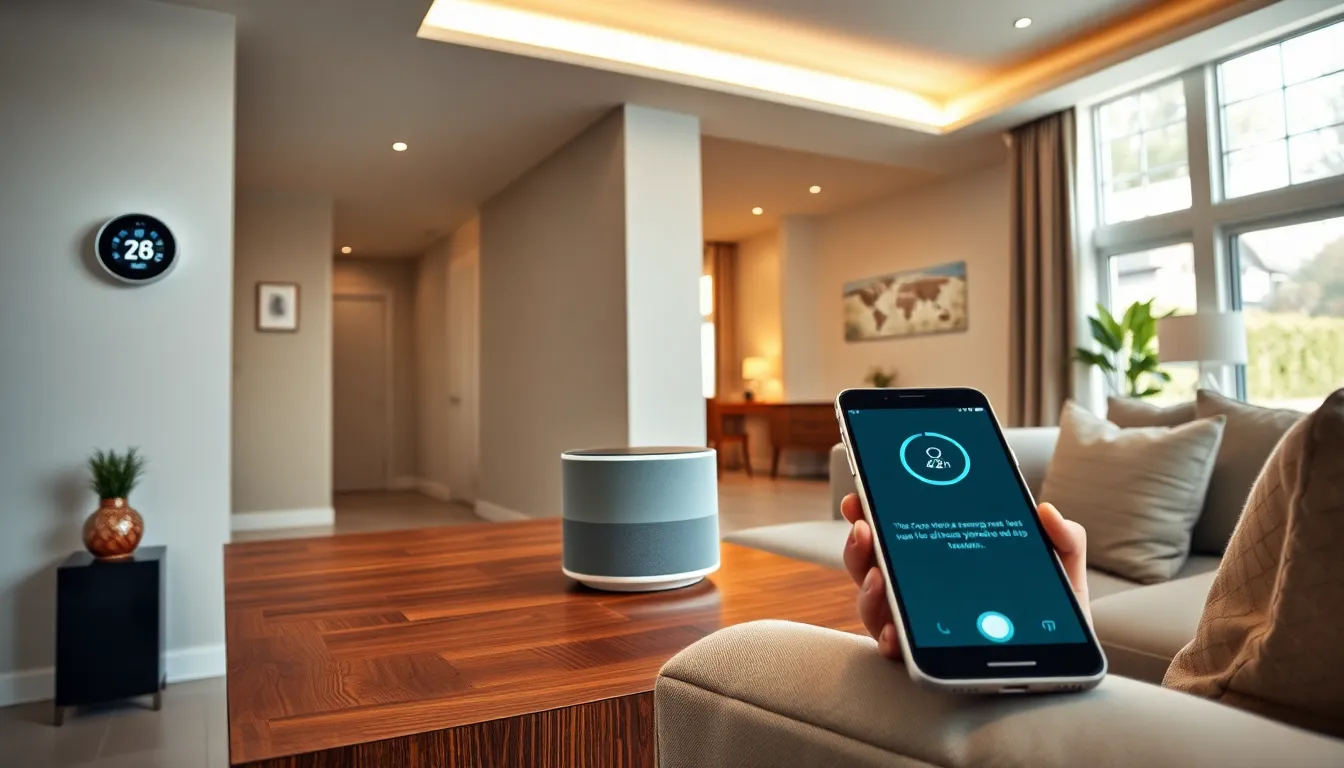
Smart home tech has changed how people interact with their living spaces. Lights turn on with a voice command. Thermostats adjust themselves based on daily routines. Door locks can be controlled from anywhere in the world. These aren’t scenes from a science fiction movie, they’re everyday realities for millions of homeowners.
For beginners, the world of connected devices can feel overwhelming. There are hundreds of products, multiple ecosystems, and technical terms that don’t always make sense. This guide breaks down the basics of smart home technology, covers essential devices worth considering, and offers practical tips for building a connected home that actually works.
Table of Contents
ToggleKey Takeaways
- Smart home tech connects devices to the internet, allowing remote control of lighting, thermostats, locks, and more through voice commands or smartphone apps.
- Start with a voice assistant like Alexa, Google Assistant, or Siri as your central hub to control and integrate all your smart devices.
- Smart thermostats can reduce energy bills by 10-15% by learning your household patterns and adjusting temperatures automatically.
- Choose one ecosystem (Amazon, Google, or Apple) early to ensure your smart home tech devices work together seamlessly.
- Prioritize Wi-Fi quality with a mesh system to prevent connectivity issues that can disrupt your entire smart home setup.
- Always change default passwords, enable two-factor authentication, and keep firmware updated to protect your connected devices from security threats.
What Is Smart Home Technology
Smart home technology refers to devices and systems that connect to the internet and can be controlled remotely. These devices communicate with each other and with users through Wi-Fi, Bluetooth, Zigbee, or other wireless protocols. The goal is simple: make daily tasks easier, more efficient, and sometimes more fun.
A smart home device typically includes three core components. First, there’s the hardware, the physical device like a thermostat, light bulb, or camera. Second, there’s software that allows users to control and program the device. Third, there’s connectivity that links everything together.
Smart home tech ranges from basic single-device setups to complex whole-home automation. A person might start with one smart speaker and eventually expand to dozens of connected devices. The technology works best when devices integrate with each other, creating routines that respond to specific triggers or schedules.
For example, a “good morning” routine might turn on lights, start the coffee maker, and read the day’s weather forecast, all from a single voice command. This level of automation seemed futuristic just a decade ago. Now it’s accessible to anyone with a smartphone and a few hundred dollars to spend.
Essential Smart Home Devices to Consider
Building a smart home doesn’t require buying everything at once. Starting with a few key devices creates a solid foundation for future expansion.
Voice Assistants and Hubs
Voice assistants serve as the central command center for most smart home setups. Amazon’s Alexa, Google Assistant, and Apple’s Siri are the three major players. Each has strengths and weaknesses.
Alexa devices offer the widest compatibility with third-party smart home products. Google Assistant excels at answering questions and integrating with Google services. Apple’s HomeKit provides strong privacy features and works seamlessly with other Apple devices.
A smart hub connects devices that use different protocols. Some voice assistants include hub functionality, while others require a separate device. The hub acts as a translator, allowing devices from different manufacturers to work together. Without a hub, users might end up with multiple apps controlling different parts of their smart home tech setup.
Smart Lighting and Climate Control
Smart lighting is often the entry point for beginners. Smart bulbs from brands like Philips Hue, LIFX, and Wyze can change colors, dim on command, and follow schedules. Smart switches offer another approach, they replace existing wall switches and work with regular bulbs.
The benefits go beyond convenience. Smart lighting can simulate occupancy when homeowners travel, potentially deterring burglars. Color-changing bulbs can support circadian rhythms by shifting from energizing blue tones in the morning to relaxing warm tones at night.
Smart thermostats represent another popular category. Devices like the Nest Learning Thermostat, Ecobee, and Amazon Smart Thermostat learn household patterns and adjust temperatures automatically. Many users report energy savings of 10-15% after installing a smart thermostat. Climate control through smart home tech also includes smart fans, space heaters, and air quality monitors.
Benefits and Challenges of Smart Home Systems
Smart home tech offers clear advantages. Convenience tops the list, controlling devices by voice or smartphone saves time and effort. Energy efficiency often improves as smart devices optimize heating, cooling, and lighting. Security features like smart locks, cameras, and sensors provide peace of mind.
Accessibility benefits deserve attention too. For people with mobility challenges, voice-controlled devices can make independent living easier. Elderly users can benefit from smart home tech that monitors activity patterns and alerts family members to potential problems.
But, challenges exist. Privacy concerns are real. Connected devices collect data about daily habits, and that data could be vulnerable to breaches. Users should research each device’s privacy policy and security features before purchasing.
Compatibility issues frustrate many beginners. Not all smart home devices work with all ecosystems. A device designed for Google Home might not integrate with Apple HomeKit. Checking compatibility before buying prevents headaches later.
Cost adds up quickly. While individual devices might seem affordable, a full smart home setup can cost thousands of dollars. Internet reliability matters too, when Wi-Fi goes down, many smart home features stop working.
There’s also a learning curve. Setting up routines, troubleshooting connectivity problems, and keeping firmware updated requires time and patience. Some people love tinkering with smart home tech. Others find it frustrating.
Tips for Building Your Smart Home Setup
Start small. Pick one or two devices that solve a real problem. Maybe it’s a smart thermostat to reduce energy bills. Maybe it’s a video doorbell for package security. Solving a specific pain point creates motivation to expand.
Choose an ecosystem early. Committing to Amazon, Google, or Apple simplifies future purchases. Devices within the same ecosystem typically work together smoothly. Switching ecosystems later means potentially replacing devices.
Prioritize Wi-Fi quality. Smart home tech depends on reliable internet. A mesh Wi-Fi system can eliminate dead zones and handle dozens of connected devices. Slow or spotty Wi-Fi will cause endless frustration.
Read reviews from actual users. Professional reviews help, but user feedback reveals real-world issues like connectivity problems, app bugs, or devices that stop working after updates. Reddit communities and Amazon reviews offer unfiltered opinions.
Consider security from day one. Change default passwords immediately. Enable two-factor authentication when available. Keep firmware updated. Place smart cameras and speakers thoughtfully, not everywhere needs monitoring.
Build routines gradually. Start with simple automations like turning lights off at bedtime. As comfort grows, add more complex routines. The best smart home setups evolve over time based on actual needs, not theoretical possibilities.
Budget for the long term. Smart home tech isn’t a one-time purchase. Batteries need replacing, subscriptions may be required for cloud storage, and devices eventually become obsolete. Planning for ongoing costs prevents surprises.